

Products
Smart WebsiteOnline Job Request FormMissed Call Text BackOne InboxAI Chat That Books JobsAutomatic RemindersReviews On AutopilotDatabase ReactivationTrades
PlumbersElectriciansRoofersBuildersKitchen FittersBathroom FittersLandscapersPlasterersHVAC EngineersEvery trade we work withTwenty minutes, no pressure. 30 day money back guarantee.
Websites and automation systems for landscapers
You're laying a patio with muddy gloves on when the phone rings. One system that answers the enquiry, books the site visit, reminds the customer and follows up, so nothing gets missed while you're on site.
How landscapers keep the diary full all year
Landscaping is feast and famine. Everyone wants a patio in April and nobody rings in January. The way round it is to book the spring work in winter and keep in touch with the customers you already have. First, what we found when we looked at 144 landscaping listings across five Kent towns.
Where landscaping work slips away
In spring you're flat out and the phone keeps ringing while you're on the digger. Missed calls in April are next month's patios going to someone else. In winter it's the opposite: quiet weeks with nothing coming in, while the people who'll want a garden done in May haven't started looking yet.
Garden work is also sold on pictures. People want to see patios, fencing and lawns you've actually done, ideally somewhere near them.
What the system does for a landscaper
- Your site shows your finished gardens with photos, so people can picture theirs.
- The job request form takes photos of the garden as it is now, plus rough size and budget, so you can tell a quick tidy from a full redesign before you visit.
- Past customers can get a polite text before the season starts, asking if they want booking in. One campaign like that is free on the System plan.
- Regular maintenance customers get a reminder text before each visit, so the side gate is open when you arrive.
Book the spring rush in the winter
The quiet months are when people start planning. A site with your work on it and a form that takes their details lets you fill March and April while it's still raining in January.
Can I remind my regular customers about their next visit?
Yes. Maintenance customers get a text the day before each visit and if they need to move it, their reply comes to your inbox.
What can I do in the quiet months?
Send one short text to past customers offering spring work, a few at a time so you can keep up with the replies. That campaign is free once on the System plan.
Do I need lots of photos to start?
A handful of good ones is enough. We help you pick the best and the gallery grows as you send us more.
Landscapers in five Kent towns, side by side
Here's the same check split by town. Each row is the first 30 Google Maps results for "landscaper" in that town, with garden centres and stone yards taken out.
| Town | Listings | No website | Under 10 reviews | Middle review count |
|---|---|---|---|---|
| Maidstone | 29 | 5 | 9 | 16 |
| Canterbury | 29 | 2 | 6 | 15 |
| Ashford | 28 | 4 | 12 | 11 |
| Chatham | 29 | 6 | 6 | 22 |
| Tunbridge Wells | 29 | 4 | 12 | 12 |
Ashford and Tunbridge Wells had the most landscapers with fewer than 10 reviews, 12 in each. Chatham had the most with no website at all. Plenty of these businesses also list themselves as gardeners, fencers or paving contractors, so a customer searching for "new fence Maidstone" can land on a landscaper's listing.
What the job request form asks, job by job
Every landscaping job needs different details before you can price it. The form asks the right questions for the job the customer picks, so you're not ringing back just to ask how big the garden is.
- Patio or paving: rough size, what's there now (lawn, old slabs or soil), how you get in (side gate or through the house) and a photo.
- Fencing: how many panels or metres, wooden or concrete posts and whether the old fence needs taking away.
- New lawn or turf: rough area, whether the old grass needs lifting and a photo of the space.
- Decking: size, how high off the ground and where the steps go.
- Garden clearance: what's going (green waste, rubble or an old shed), so you know whether to bring the trailer or book a skip.
- Regular maintenance: how often (weekly, fortnightly or monthly) and what's included, such as mowing, hedges and borders.
You choose the questions, so they match the work you actually want more of.
A landscaper's year and what goes out when
- January and February: people start planning patios and fences. A polite text to past customers asking if they want booking in for spring. One campaign like that is free on the System plan.
- March to May: the busy months. When you can't answer, missed call text back and the website chat reply for you (System plan) and the form keeps collecting jobs with photos.
- June to August: maintenance rounds. Regular customers get a reminder text the day before each visit (System plan).
- September to November: autumn tidy ups, hedges and fence repairs after the wind. A review request goes after each finished job while the garden still looks its best (System plan).
- December: quiet. Send us the year's best photos and we add them to your gallery, ready for the people who start looking in January.
Worth a read: Database reactivation for trades · How to photograph your work · A Facebook page is not a website
Other trades: Plumbers · Electricians · Roofers · Builders · Plasterers · Bathroom fitters · Kitchen fitters · Heating engineers · Kent: Medway · Maidstone · Canterbury · Ashford · Tunbridge Wells
Source: our own check of the first 30 Google Maps results for "landscaper" in Maidstone, Canterbury, Ashford, Chatham and Tunbridge Wells on 10 November 2026, with supply shops taken out.
Everything in one system
Eight tools that would normally mean eight logins and eight invoices. Built as one system for landscapers, for one monthly price.
Smart Website
A proper website built for landscapers, so when someone local searches for a patio, a new lawn, fencing or a garden makeover, they find you and not the firm down the road. Built to turn visitors into enquiries, not to win design awards.
Why it matters
Most trade websites are either ten years old or don't exist. Customers check you out online before they ring. If there's nothing there, or what's there looks half-finished, they ring someone else.
See how it worksOnline Job Request Form
A simple form on your site where customers pick the job, from a fence panel to a full garden design and send you the details. They fill it in on a Sunday evening after looking at the garden, you wake up to the job details waiting for you.
Why it matters
Plenty of customers won't ring. They want to sort things out online, in their own time, without a phone call. If your site can't take a job request, those jobs go to a business whose site can.
See how it worksMissed Call Text Back
You're laying slabs with muddy gloves on. The phone rings out. Instead of that customer ringing the next landscaper on the list, they get an instant text from you asking what they need. The job stays alive until you're free.
Why it matters
A missed call is usually a lost job. Plenty of customers ring the next number on the list instead. You never even know what you lost, because they don't leave a voicemail. They just move on. See how our missed call text back service works.
See how it worksOne Inbox
Garden photos by text, a decking question on Facebook, a site visit request from your website: every message lands in a single inbox on your phone. No more checking five apps, no more finding a three-day-old enquiry sat in Messenger.
Why it matters
Enquiries come from everywhere now: texts, Facebook, Instagram, email, your website. Each one is another app to check. The ones you forget to check are where jobs go to die.
See how it worksAI Chat That Books Jobs
When a customer messages about their garden and you're busy, the AI replies in seconds, asks about the size, what they want done and when, then books the site visit straight into your calendar. You just turn up.
Why it matters
Answering the same questions forty times a week is a job in itself. And the enquiries that come in while you're working or sleeping are the ones that go cold. If nobody replies for a few hours, the customer has usually found someone else by then.
See how it worksReviews On Autopilot
After every finished garden the customer gets a polite, well-timed request to leave a review, with a follow-up nudge if they forget. The requests go out while you get on with the next job.
Why it matters
Happy customers rarely leave reviews on their own. Unhappy ones are far more likely to. Asking face to face feels awkward, so most businesses never ask and their Google profile stays thin while competitors stack up stars.
See how it worksAutomatic Reminders
Every site visit and start date gets confirmed by text and reminded before the day. Customers who need to move a visit can say so in advance instead of you driving over to find nobody in.
Why it matters
A no-show costs you the slot, the fuel and the job you turned down to be there. Most no-shows aren't rude customers, they're forgetful ones. A reminder the day before fixes most of it.
See how it worksDatabase Reactivation
Every landscaper has a list of old customers and old estimates sat in a phone. We text that list for you with a simple offer, such as a spring tidy or a fence check before winter. The same text invites everyone on the list to leave a Google review. Replies land in your one inbox so the AI can book them in. One campaign, included free when you join System.
Why it matters
Winning a new customer costs money. Waking up an old one costs a text. Most firms never go back to the people who already know and trust them, so the easiest jobs of the year sit in a contacts list doing nothing.
See the plansWhat it looks like
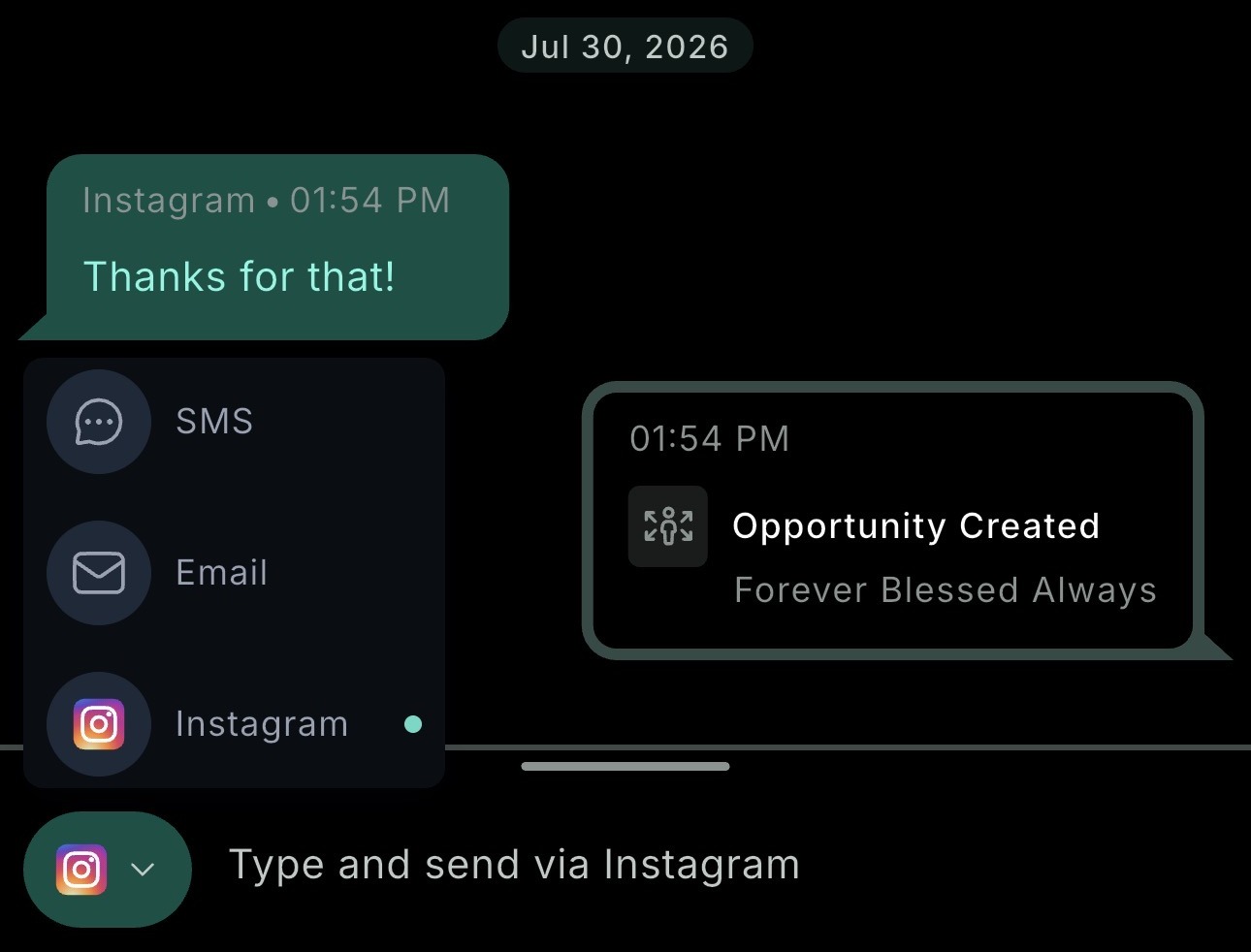
The text your customer gets after a missed call and the one inbox every message lands in.

What working with us looks like
Three steps. Two short calls. No homework beyond one form.

Step 1
Quick Call
20 minutes
A straight conversation, not a pitch marathon. You tell us how enquiries reach you now and where jobs slip through. We show you the system working live and tell you honestly if it's not a fit.

Step 2
We build everything
7 to 10 days
You fill in one onboarding form about your business. We build your site and, on System, connect your number, train the AI on your services and prices and wire up the reminders and review requests. You keep working.
Step 3
Launch call, then it runs
25 minutes
We walk you through the one app you need on your phone, send a test enquiry through so you watch it get answered and booked, then hand you the keys. From that day it works around the clock.
Two plans. No setup fee. No contract.
Start where it makes sense for your business and upgrade whenever you're ready. Cancel any time.
Both plans come with a 30 day money back guarantee and go live in 7 to 10 days.
Basic
£99 /month
Or £799 a year, save £389
Gets you found on Google and gets the job through the door.
Smart website, so you show up in Google
Online job request form
Missed call text backAI chat that books jobs itselfReviews on autopilotDatabase reactivation campaign
Most popular
System
£199 /month
Or £1,600 a year, save £788
Everything in Basic, plus this is where it starts running itself.
Everything in Basic
Missed call text back
One inbox for every platform
AI chat that replies and books jobs itself, day or night
Automatic reminders to cut no-shows
Reviews on autopilot
Database reactivation for jobs and reviews, free (worth £500)
Still unsure? Book a quick call first. Twenty minutes, no pressure.
Questions Landscapers Actually Ask
I'm a one man band. Is this too much for me?
No. It's built for small trades. Basic is a website and a job request form. System adds the part that answers when you can't.
What happens when someone rings about a garden while I'm on site?
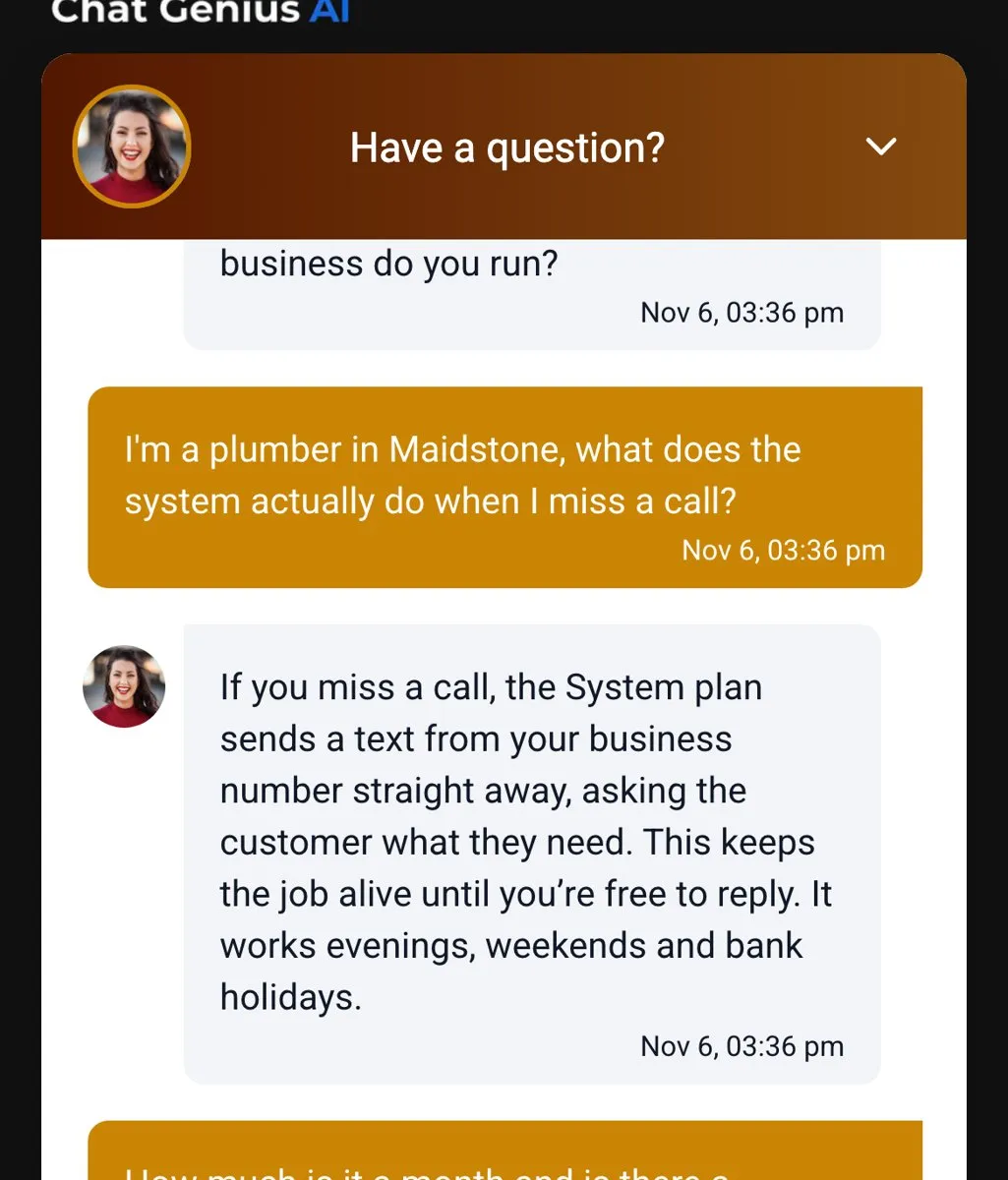
On the System plan they get a text within seconds asking what they need. The AI can reply, ask about the garden and what they want done and offer a site visit slot from your calendar.
Can customers send photos of the garden?
Yes. The job request form can take photos, so you can see the space, the fence or the lawn before you ring back.
My work is seasonal. Can the system help in the quiet months?
Yes. The database reactivation campaign included with System texts your old customers with a simple offer, so the quiet months can fill up with people who already know you.
How much is it and is there a contract?
Basic is £99 a month and System is £199 a month. No setup fee, no contract, cancel any time.
How long until it's live?
7 to 10 days from the onboarding form.
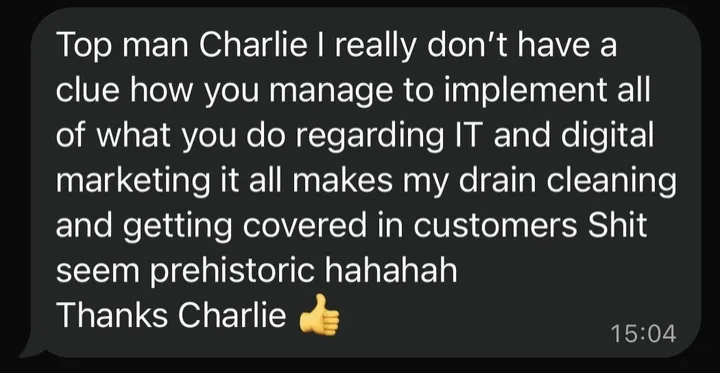
Straight off Charlie's phone
Real messages from past clients.

Never leave a missed call hanging again
Twenty minutes, no pressure. If it's not right for your business we'll tell you on the call.